
Sharing and inviting
Alto Calendar uses Apple’s own calendar sharing. Nothing goes through a server of ours: the person you share with sees your Busy/Free calendar in their own Calendar app, and in Alto Calendar if they have it.
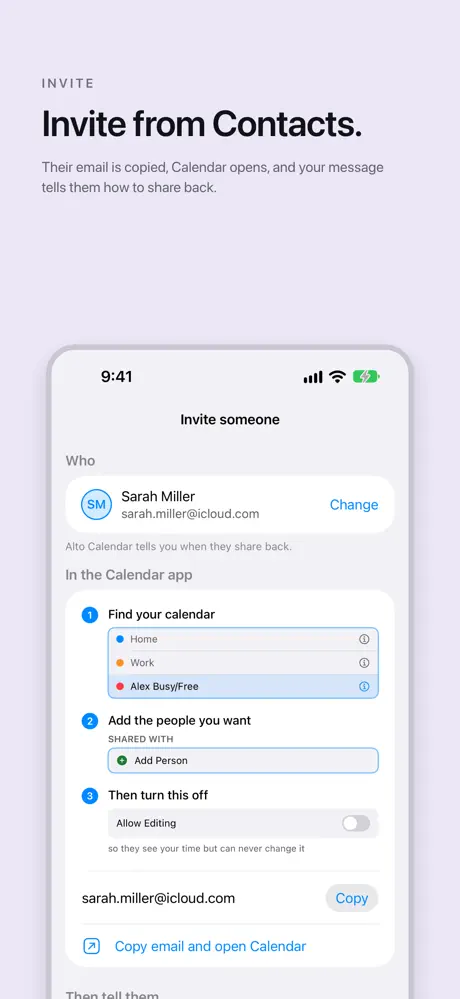
Three taps in the Calendar app
- Find your calendar in the Calendar app’s list of calendars.
- Add the people you want: tap Add Person under Shared With and enter their email.
- Then turn off Allow Editing, so they see your time but can never change it.
Invite from Contacts
Pick someone from Contacts and Alto Calendar copies their email and opens Calendar, with a message to send them. The message carries your email, the one thing they need to share back.
Sharing back
Sharing goes one way. They will see when you are free, and you will see them once they share their own calendar back. Alto Calendar tells you when they do.
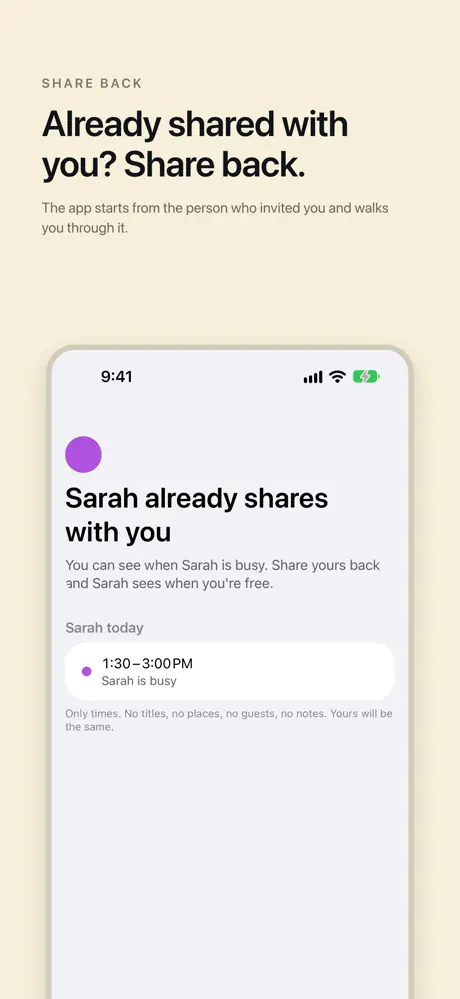
If someone already shares with you, Alto Calendar finds them and offers to share back: you can see when they are busy, and they see when you are free once you share yours.
Who you share with
Sharing with one person is free. Pro shows everyone who shares with you: a partner, family and friends, not only one person.